
Skip to searchSkip to main content
SRNTS

Course Overview

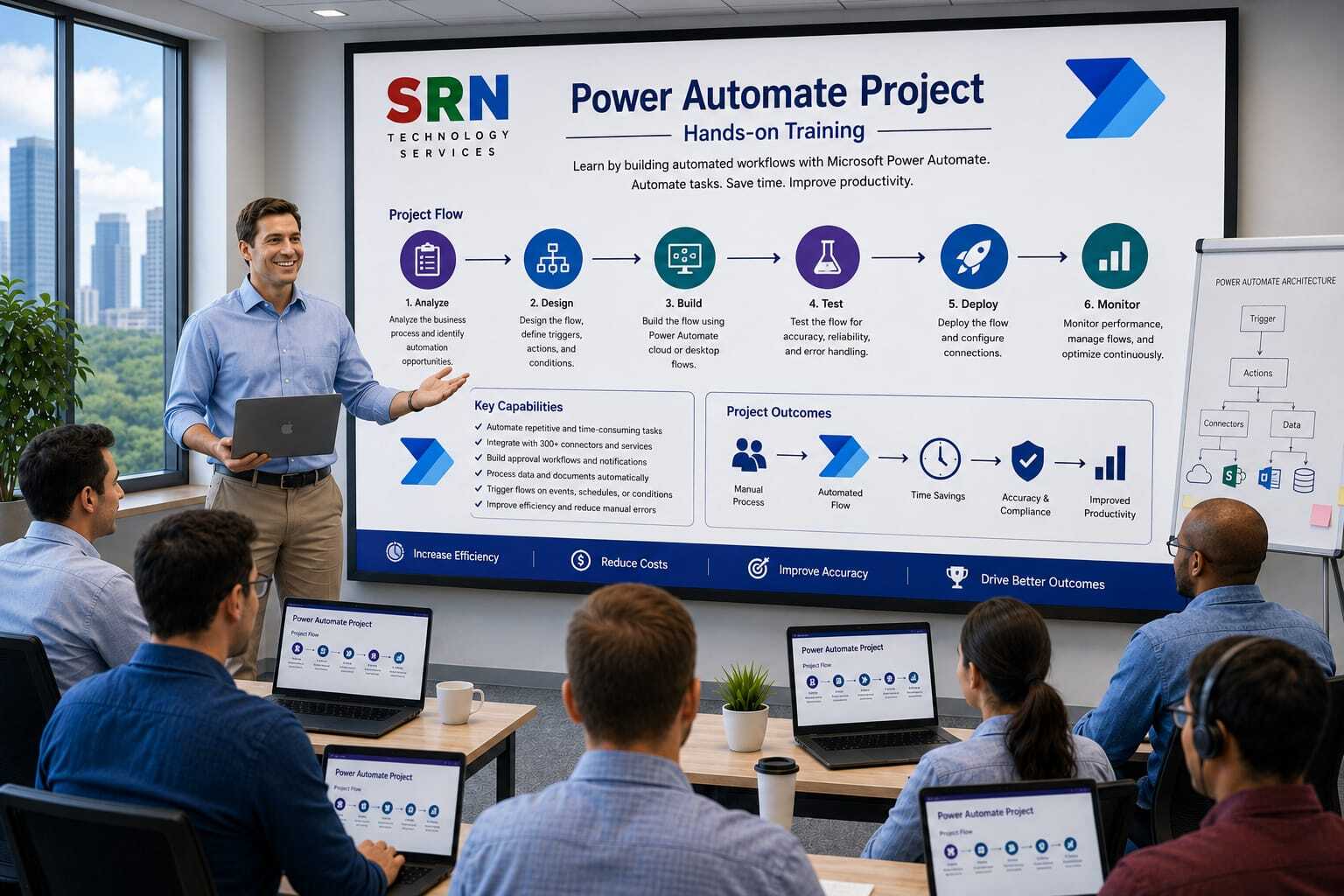
This Power Automate Project Training is designed to provide hands-on experience in building real-world automation solutions using Microsoft Power Automate. Participants will work on practical projects involving workflow automation, approvals, notifications, data synchronization, document processing, integrations, and business process automation. The training focuses on industry-standard implementation scenarios to help learners develop job-ready automation skills.

Audience

This program is designed for:

    • Power Platform Developers
    • Business Analysts
    • Functional Consultants
    • Process Automation Specialists
    • Dynamics 365 Consultants
    • IT Professionals
    • Students and Professionals seeking practical Power Automate experience

 Pre‑requisites

To maximize learning outcomes, participants should have:

  • Basic understanding of Power Automate fundamentals
  • Familiarity with Power Platform concepts
  • Knowledge of business processes and workflow automation
  • Basic understanding of Dataverse, SharePoint, or Microsoft 365 services
  • No advanced programming experience required

 Key Benefits

  • Build end-to-end real-world automation projects
  • Gain practical experience with cloud and desktop flows
  • Automate approvals, notifications, and business processes
  • Integrate Power Automate with Dataverse, SharePoint, Outlook, Teams, Dynamics 365, and external systems
  • Learn error handling, monitoring, and workflow optimization techniques
  • Implement AI-powered automation and document processing scenarios
  • Follow industry best practices for workflow design and governance
  • Develop reusable automation solutions for enterprise environments
  • Create a project portfolio to demonstrate automation expertise
  • Become job-ready for Power Platform and Business Process Automation roles through hands-on project experience
  • Project Requirement

    Project Overview

    Project Name

    SRNTS Learning & Placement Management System – Automation Project

    Business Scenario

    SRNTS Training Institute provides:

    • Training Programs
    • Corporate Training
    • Job Support
    • Placement Assistance
    • Certification Guidance

    Currently, many processes are performed manually, resulting in delays, missed follow-ups, and inconsistent communication.

    The management wants to automate all critical business processes using Power Automate.

    The solution should automate:

    • Student Enrollment
    • Payment Tracking
    • Trainer Allocation
    • Course Completion
    • Certification Processing
    • Placement Activities
    • Referral Programs
    • Management Reporting

    Tables Used

    Student

    • Student Name
    • Mobile Number
    • Email
    • Status

    Course

    • Course Name
    • Duration
    • Fee

    Enrollment

    • Student
    • Course
    • Batch
    • Enrollment Date

    Payment

    • Payment Amount
    • Payment Date

    Placement

    • Company Name
    • Package

    Referral

    • Referrer
    • Bonus Amount

    Power Automate Requirements

    Module 1

    Welcome Email Automation

    Requirement

    When a student enrolls:

    Automatically send:

    • Welcome Email
    • Course Brochure
    • Batch Details

    Power Automate Concepts

    • Dataverse Trigger
    • Send Email (V2)
    • Dynamic Content

    Module 2

    WhatsApp Notification Flow

    Requirement

    After enrollment:

    Send WhatsApp message containing:

    • Student Name
    • Course Name
    • Trainer Name
    • Joining Link

    Concepts Covered

    • HTTP Actions
    • Third-Party APIs
    • JSON Parsing

    Module 3

    Fee Payment Confirmation

    Requirement

    Whenever payment is received:

    Automatically send:

    • Payment Receipt
    • Remaining Balance

    Concepts Covered

    • Dataverse Trigger
    • PDF Attachment
    • Email Automation

    Module 4

    Reminder Before Batch Start

    Requirement

    Send reminder:

    • 7 Days Before
    • 3 Days Before
    • 1 Day Before

    Concepts Covered

    • Scheduled Flow
    • Date Calculations
    • Filter Queries

    Module 5

    Referral Bonus Processing

    Requirement

    When referred student completes payment:

    Calculate referral amount.

    Create referral transaction record.

    Notify finance team.

    Concepts Covered

    • Condition Control
    • Multiple Entity Updates

    Module 6

    Trainer Approval Workflow

    Requirement

    New trainer onboarding requires:

    • HR Approval
    • Training Manager Approval

    Concepts Covered

    • Approval Flow
    • Parallel Approval
    • Outcome Processing

    Module 7

    Corporate Training Approval Process

    Requirement

    Corporate training requests require:

    • Sales Approval
    • Delivery Manager Approval
    • Finance Approval

    Concepts Covered

    • Multi-Level Approvals
    • Switch Cases
    • Approval History

    Module 8

    Automatic Certificate Generation

    Requirement

    Generate certificate when:

    • Course Completed
    • Attendance > 80%
    • Fee Paid

    Concepts Covered

    • Word Template
    • PDF Conversion
    • SharePoint Integration

    Module 9

    Student Inactivity Monitoring

    Requirement

    If student does not attend training for:

    • 7 Days

    Send reminder email.

    After 15 days notify manager.

    Concepts Covered

    • Scheduled Flow
    • Escalation Process

    Module 10

    Placement Interview Automation

    Requirement

    When interview is scheduled:

    Send:

    • Interview Details
    • Company Information
    • Preparation Material

    Concepts Covered

    • Email Templates
    • Dynamic Content

    Module 11

    Placement Follow-Up Process

    Requirement

    Automatically create follow-up activities:

    • Day 1
    • Day 7
    • Day 30

    after student joins company.

    Concepts Covered

    • Scheduled Flows
    • Dataverse Activities

    Module 12

    Escalation Flow

    Requirement

    If support ticket remains unresolved:

    • 24 Hours → Team Lead
    • 48 Hours → Manager
    • 72 Hours → Director

    Concepts Covered

    • Delay Until
    • Escalation Logic

    Module 13

    Monthly Revenue Report

    Requirement

    Generate monthly report containing:

    • Total Enrollments
    • Total Revenue
    • Pending Fees
    • Placement Count

    Send report automatically.

    Concepts Covered

    • Scheduled Flow
    • Excel Generation
    • Reporting

    Module 14

    Daily Management Dashboard Mail

    Requirement

    Every morning send:

    • New Leads
    • New Enrollments
    • Collections
    • Placements

    Concepts Covered

    • Recurrence Trigger
    • HTML Table Creation

    Module 15

    Bulk Student Import Automation

    Requirement

    User uploads Excel file.

    System should:

    • Read Excel
    • Validate Data
    • Create Students
    • Generate Error Log

    Concepts Covered

    • Excel Connector
    • Apply To Each
    • Exception Handling

    Module 16

    Document Management Automation

    Requirement

    When student uploads:

    • Resume
    • Certificate
    • ID Proof

    Automatically move document to proper folder.

    Concepts Covered

    • SharePoint Integration
    • Folder Automation

    Module 17

    AI-Based Resume Analysis

    Requirement

    Upload resume.

    Automatically:

    • Extract Skills
    • Identify Experience
    • Store Skills in Dataverse

    Concepts Covered

    • AI Builder
    • Document Processing

    Module 18

    Job Matching Automation

    Requirement

    When new job is posted:

    Match students based on:

    • Skills
    • Experience
    • Certification

    Notify matching candidates.

    Concepts Covered

    • Dataverse Queries
    • Filter Arrays
    • Automated Notifications

    Module 19

    Student Satisfaction Survey

    Requirement

    After course completion:

    Automatically send survey.

    Capture responses.

    Generate feedback score.

    Concepts Covered

    • Microsoft Forms
    • Dataverse Integration

    Module 20

    End-to-End Placement Process

    Requirement

    When student gets placed:

    Automatically:

    1. Update Placement Status
    2. Notify Student
    3. Notify Management
    4. Create Follow-up Tasks
    5. Update Placement Dashboard

    Concepts Covered

    • Child Flows
    • Reusable Components
    • Enterprise Automation

    Advanced Power Automate Topics Covered

    Flow Types

    • Automated Cloud Flow
    • Instant Flow
    • Scheduled Flow
    • Business Process Automation

    Expressions

    • if()
    • equals()
    • contains()
    • coalesce()
    • formatDateTime()
    • addDays()
    • length()

    Error Handling

    • Configure Run After
    • Try Catch Pattern
    • Scope Actions
    • Logging Framework

    Integration

    • Dataverse
    • SharePoint
    • Outlook
    • Teams
    • Excel
    • Word
    • Power BI
    • HTTP APIs
    • Azure Functions

    Enterprise Topics

    • Child Flows
    • Solution-Aware Flows
    • Environment Variables
    • Connection References
    • ALM Deployment
    • Production Best Practices

    Training Outcome

    By the end of this project, participants will build 20+ real-world Power Automate solutions and gain hands-on experience with:

    • Approval Workflows
    • Notification Systems
    • Document Automation
    • Reporting Automation
    • Third-Party Integrations
    • AI Builder Scenarios
    • Enterprise-Grade Flow Design

    Enrollment Form

    If you have no pending queries and feel confident after completing the trainer assessment session and reviewing earlier batch recordings, please proceed by filling out the form below to officially enroll in the SRNTS Training Program.

    • Are you interested to receive training related update over Whatspp & Gmail *

    💬 Need Assistance?

    If you have any questions about the training program or the enrollment process, our support team is here to help. You can reach us through the following channels:

    • 📱 WhatsApp Chat – Quick and convenient messaging support

    • 📞 Direct Call – Speak with our team instantly

    • 📧 Email Support – Get detailed assistance via mail